Complete grow companion
for indoor growers.
VPD chart, feeding plans from 18 nutrient brands, a plant doctor for 41 problems, a grow diary and automation for your Tuya, Mars Hydro and AC Infinity gear — in one app. No account, no ads, 11 languages.
Want one e-mail on launch day? Nothing else, promise.
We use your address only for that one e-mail. Privacy policy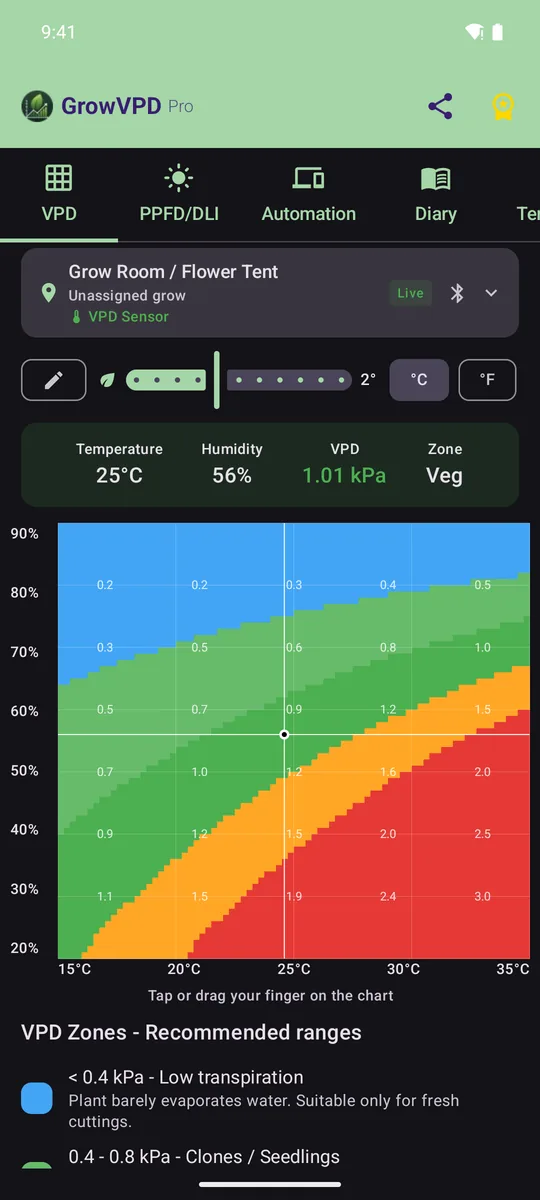
- 41plant problems, each with a hand-drawn plate
- 62feeding charts from 18 nutrient brands
- 20grow templates — or save your own
- 8smart-device platforms
- 11languages
- 0ads, and no account needed
Everything your grow needs, in one app
Measure, feed, diagnose, record and automate. Most of it works offline, and none of it needs an account.
See the climate your plants actually feel
The VPD heatmap shows the right zone for every stage, corrects for leaf temperature and puts your live sensor reading right on the chart. Your phone doubles as a light meter, too.
- VPD targets for 13 stages, from germination to curing
- Leaf-temperature offset, °C or °F, Bluetooth and Wi-Fi sensors
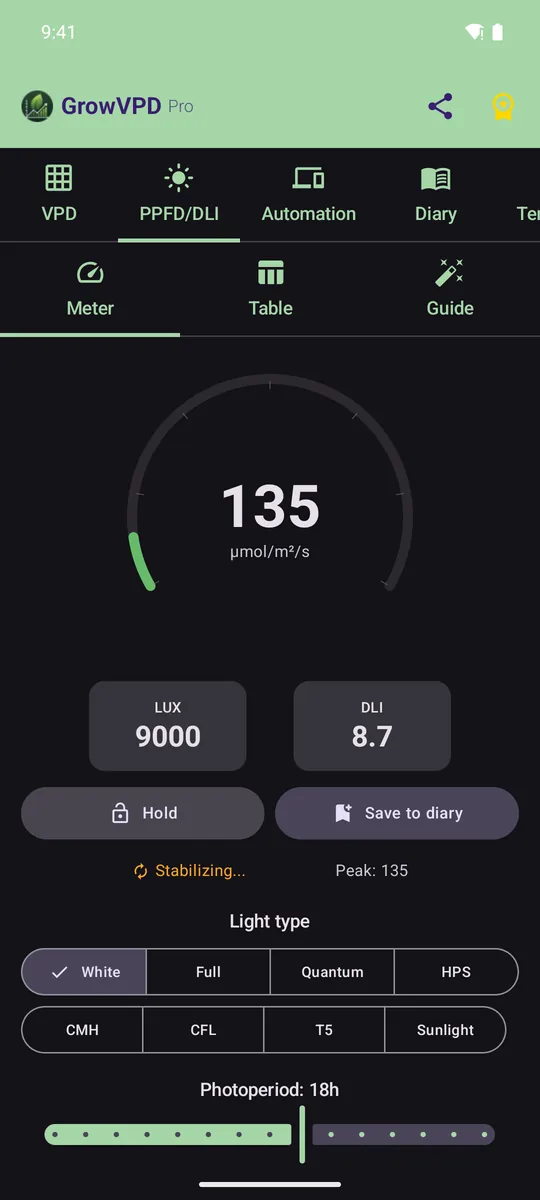
- PPFD and DLI meter using your phone's light sensor, with profiles for LED, HPS, CMH, T5 and sunlight (Pro)
- Home-screen widget with your tent's temperature, humidity and VPD
Feeding charts that fit your grow, not the other way round
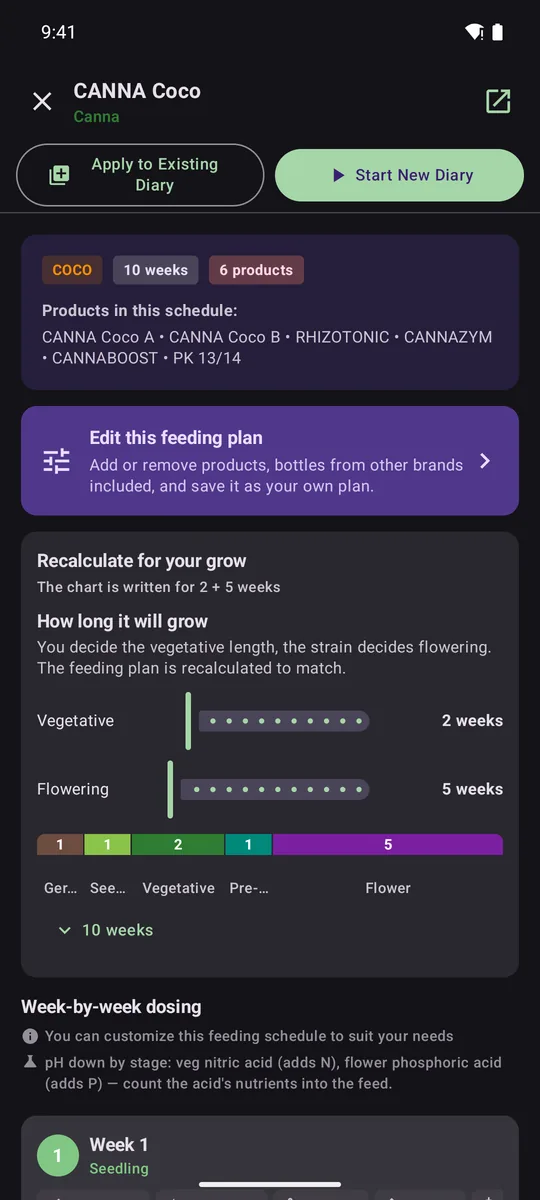
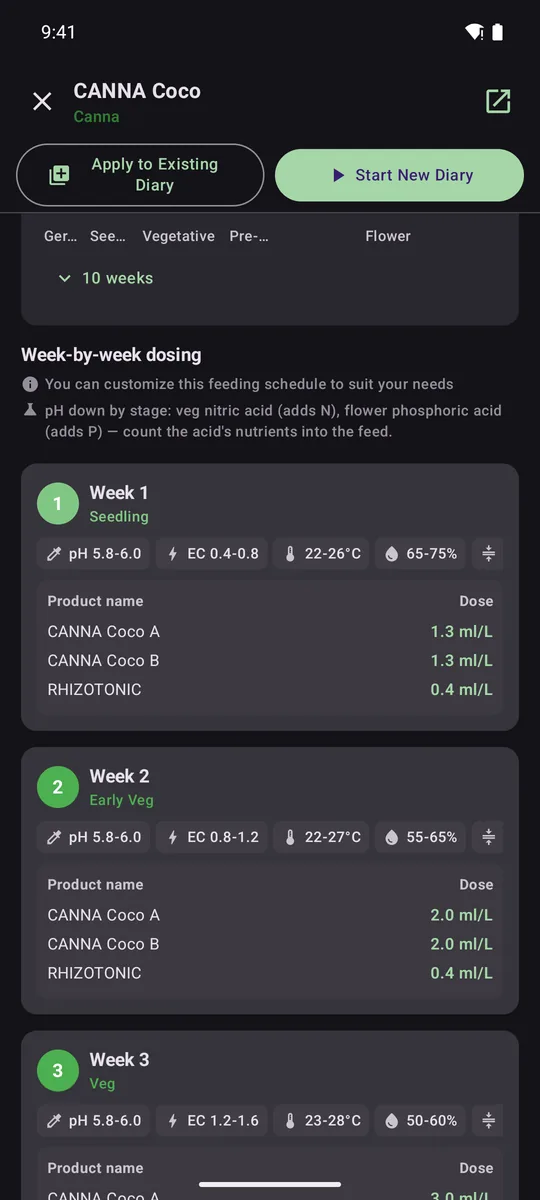
62 feeding charts from 18 nutrient brands, with every dose taken from the manufacturer's own chart. Tell the app how long you'll veg and how long your variety flowers, and the plan is recalculated week by week to match.
- Week-by-week doses in ml/L or ml/gal, with pH, EC, temperature and humidity targets for every week
- No chart for your bottles? Tick what you own and the app builds a plan from the doses printed on the labels
- The diary tells you what to feed this week — switch plans at any point, and editing a plan never rewrites a finished grow
- Tank calculator: doses for your reservoir, an EC estimate and a pH-down planner that counts the acid's own nitrogen or phosphorus
Charts included from
- Advanced Nutrients
- Atami
- Athena
- B'cuzz
- BioBizz
- BioTabs
- CANNA
- Emerald Harvest
- FoxFarm
- General Organics
- Grotek
- HESI
- House & Garden
- Mills
- Plagron
- Remo
- Shogun
- Terra Aquatica
Brand names are trademarks of their owners. GrowVPD Pro is independent and not affiliated with them.
Know what's wrong before it spreads
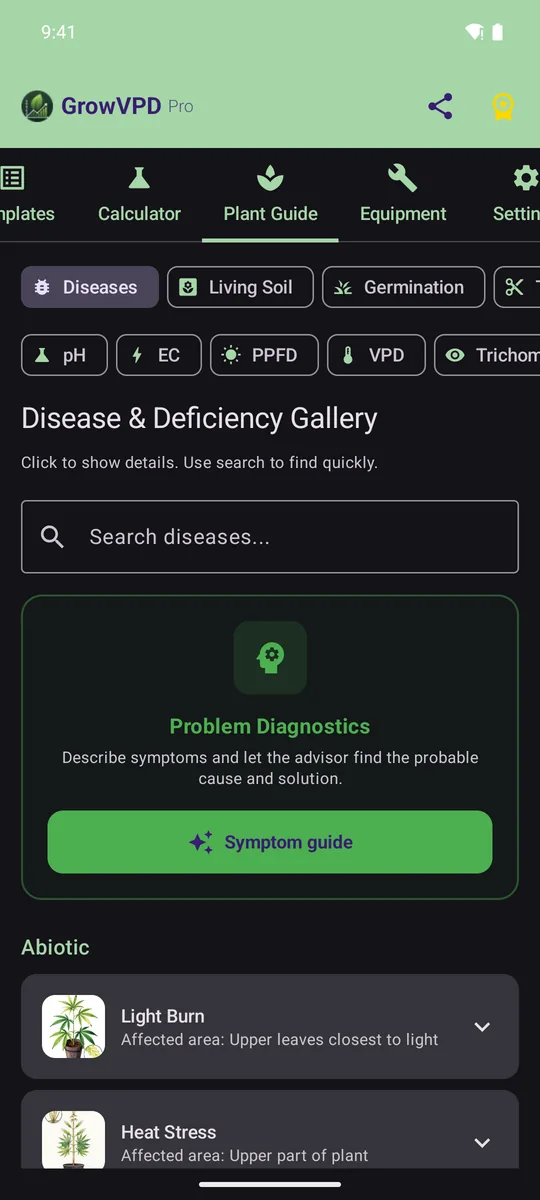
41 diseases, pests and deficiencies, each with a hand-drawn botanical plate that points at the tell-tale sign. Search by what you see, or let the symptom guide ask the questions (Pro).
- Symptoms, causes and treatment in plain language, plus biological control and what to do before your next grow
- 12 guides: VPD, PPFD, EC, pH, germination, watering, drainage, training techniques, trichomes, sexing, drying and living soil
- Fully offline — the whole library ships inside the app
A diary that keeps up with every day of the grow
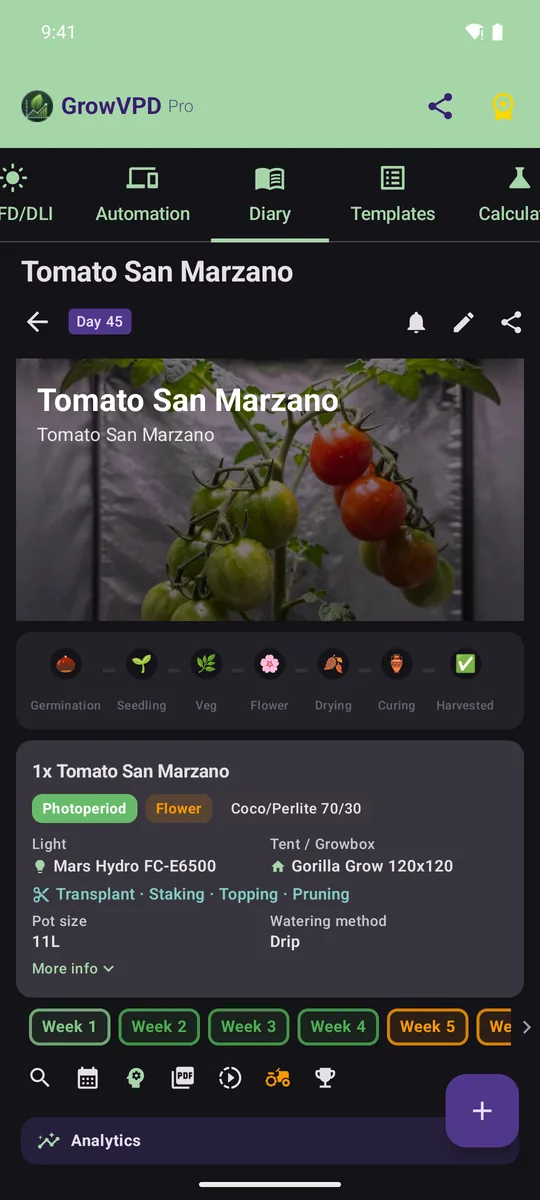
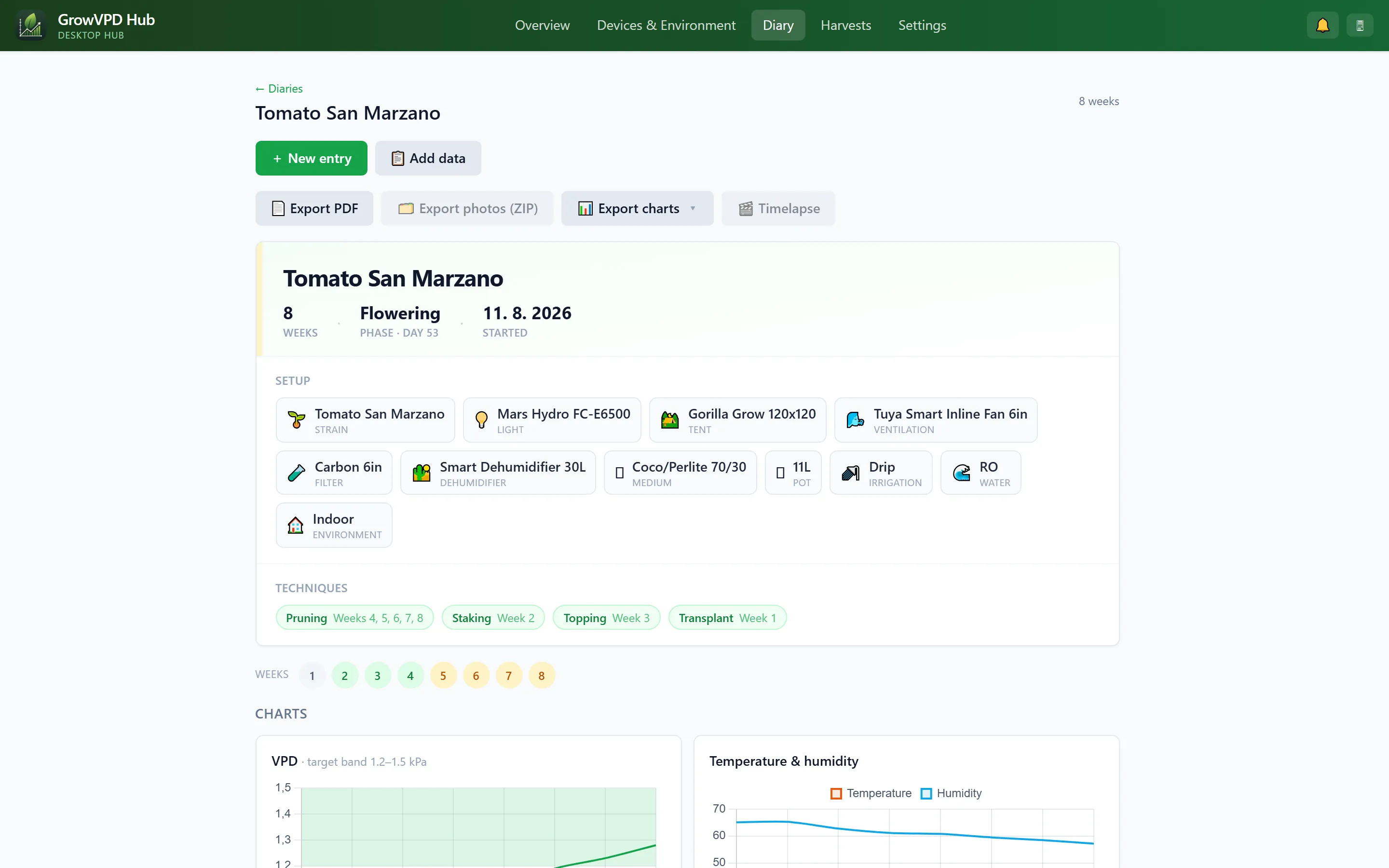
Log climate, water, pH, EC, height and photos weekly, daily or by the hour. Every photo shows the day of the grow and the stage it was taken in, and the grow card follows the whole run from germination to harvest.
- Start from one of 20 grow templates or save your own — every week comes with its targets
- A four-step setup, harvest records with wet and dry weight, g/W and g per plant
- Compare grows side by side; video, time-lapse, PDF export and short reports with Pro
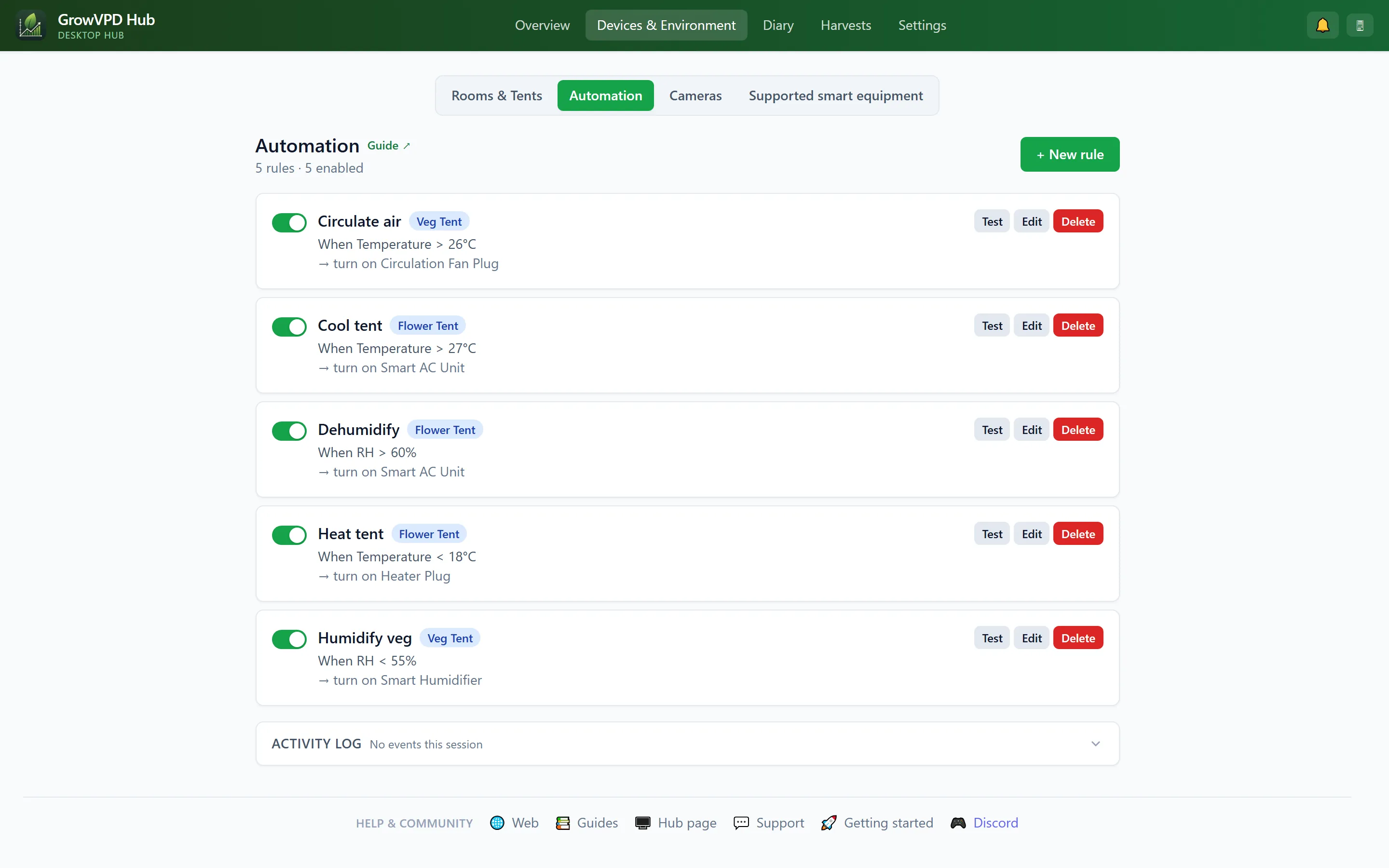
Fans, lights and climate on autopilot
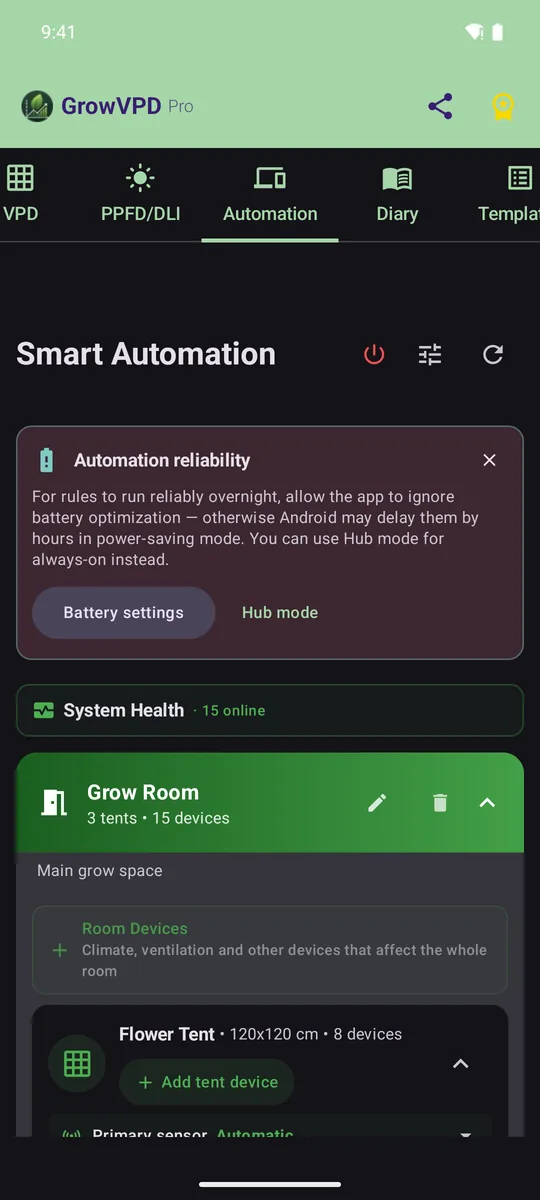
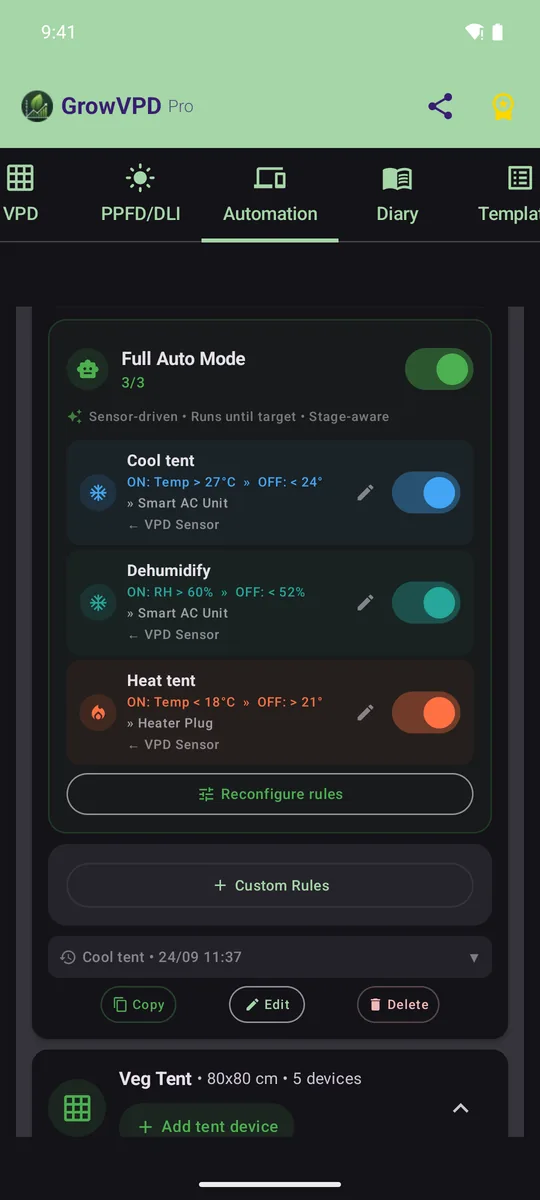
Rules that react to VPD, temperature, humidity, CO₂, light, soil moisture or pH — or run on a schedule or a repeating cycle. One tap sets up a whole tent for its growth stage, and the app reaches each device the fastest way it can: your local network first, the manufacturer's cloud only where there's no other way.
- Tuya / Smart Life: local control over your Wi-Fi (protocol 3.3–3.5) and Zigbee sensors through a Tuya gateway
- Mars Hydro lights and iTime timers: Bluetooth setup, Wi-Fi pairing and schedules stored in the device itself
- AC Infinity, Spider Farmer, Vivosun, Bluelab, SANlight and Bluetooth thermo-hygrometers — mix brands in a single rule
- Safety built in: hysteresis, minimum on/off times, run-time limits and a fail-safe when a sensor goes quiet
Tested on real hardware: Tuya plugs and an air conditioner over the local network, a Tuya Zigbee gateway with its sensors, a Mars Hydro light controller and iTime timer, and Bluetooth thermo-hygrometers. The other platforms are implemented and being verified with growers who own them — tell us on Discord what you run.
Free includes 1 tent, 3 devices and 1 automation rule.
Your grow on every screen
Pair your phones and your computer with a QR code. Diary, rules and devices stay in sync, and one device can keep watch over the tent around the clock.
Synced both ways
On the same Wi-Fi your devices sync directly. Away from home an end-to-end encrypted relay carries the data — it only ever sees encrypted blobs.
An old Android as a 24/7 hub
Leave a spare phone (Android 7+) on a charger by the tent. It keeps your devices in reach, runs the rules and can photograph the tent on a schedule.
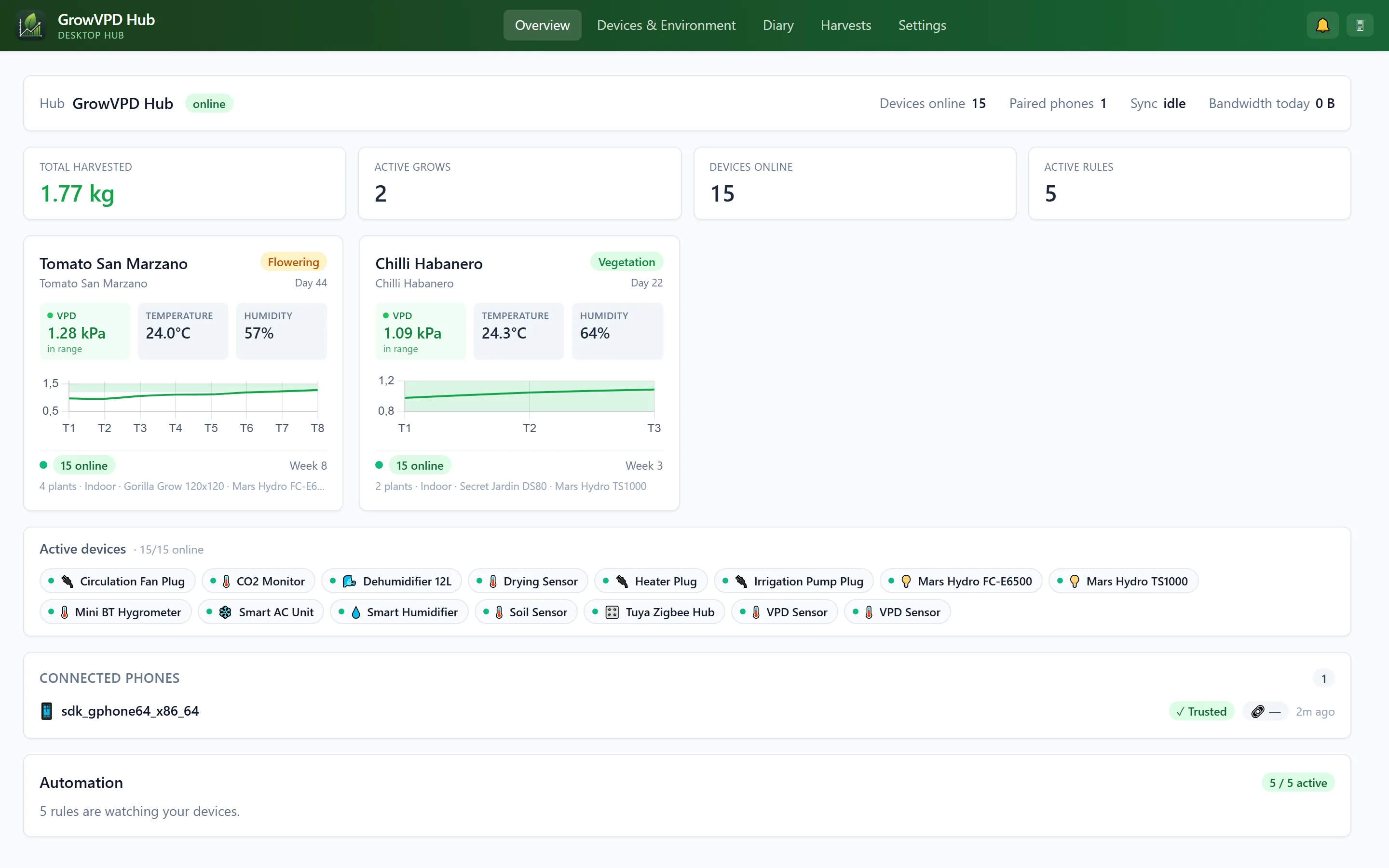
GrowVPD Hub for your computer
A quiet program for Windows, macOS or Linux with a full dashboard in your browser. Included with Pro.
Included with Pro: GrowVPD Hub for your desktop
You still grow from your phone — the app is the core. GrowVPD Hub is a desktop companion for Pro users that mirrors and extends it on the big screen of your PC: diary, automation, devices and cameras. A quiet daemon runs in the background 24/7 and keeps your grow synced even when your phone is off or out of the house.
- Full browser dashboardMission control on the big screen: VPD charts, week-by-week diary, automation, devices, cameras.
- LAN-first controlOn the same Wi-Fi it talks to devices locally with low latency, otherwise via the encrypted cloud relay.
- In-browser photo editorOne click removes the purple LED light cast and adds a watermark with the variety, week and date. Everything runs locally in your browser.
- Privacy by designBy default the Hub keeps no smart-home logins — commands go through your phone. Direct device control is an opt-in, stored encrypted on your computer, and the dashboard is only reachable from that computer.
No separate purchase — GrowVPD Hub is included with Pro. Windows, macOS and Linux; Pro members get a personal download link in the app.
The small things that save a grow
Grow calculators
Substrate mixes, living-soil recipes with a cooking timeline, yield estimate and fan size (CFM).
Equipment database
223 lights, tents and fans from 46 brands, plus 287 nutrient products — with power draw and coverage.
Private by default
No account. PIN or fingerprint lock; hide photos from the gallery and use stealth mode with Pro.
Green work light
Turns the screen into a safe green light for checks during the dark period.
11 languages
English, Czech, German, Spanish, Dutch, French, Italian, Portuguese, Polish, Thai and Hebrew.
Runs on old phones
Android 7.0 or newer and iPhone with iOS 16 or newer — so a spare phone can stay by the tent.
Free to grow with. Pro when you scale up.
No ads, no account. Launch prices stay locked for as long as you keep your plan.
Free, forever
- VPD chart with live sensor readings
- Grow diary for 1 active grow — unlimited entries and photos
- 62 feeding charts, nutrient and pH calculators
- Plant doctor with 41 problems and 12 guides
- 20 grow templates
- Automation for 1 tent, 3 devices and 1 rule, plus 1 Bluetooth sensor
- PIN / fingerprint lock, widget, 11 languages
Pro adds
- Unlimited grows, tents, devices, rules and sensors
- GrowVPD Hub for Windows, macOS and Linux
- PPFD & DLI meter
- Analytics, predictions and substrate dry-back tracking
- Symptom guide that asks the right questions
- Video, time-lapse and photo watermarks in the diary
- PDF / JSON export, backup & restore, short reports
- Full diary archive, photo privacy and stealth mode
Launch prices are deliberately low while we build the community. The lifetime licence pays for itself after about a year of monthly Pro. If prices go up later, you keep the price you signed up with. Subscriptions are managed and cancelled in Google Play or the App Store.
Frequently asked questions
Is GrowVPD Pro free?
Does it work without internet?
Which devices actually work?
Android and iPhone — any differences?
Where is my data stored?
What does the desktop Hub do?
How do I cancel Pro?
What happens to a lifetime licence if you shut down?
Ready for your next grow?
GrowVPD Pro is free on Android and iPhone. Questions, ideas or a device you want supported? Come say hi on Discord.
Join Discord