A look at the dashboard
Mission control for your grow, on the big screen. Click any screenshot to enlarge it.
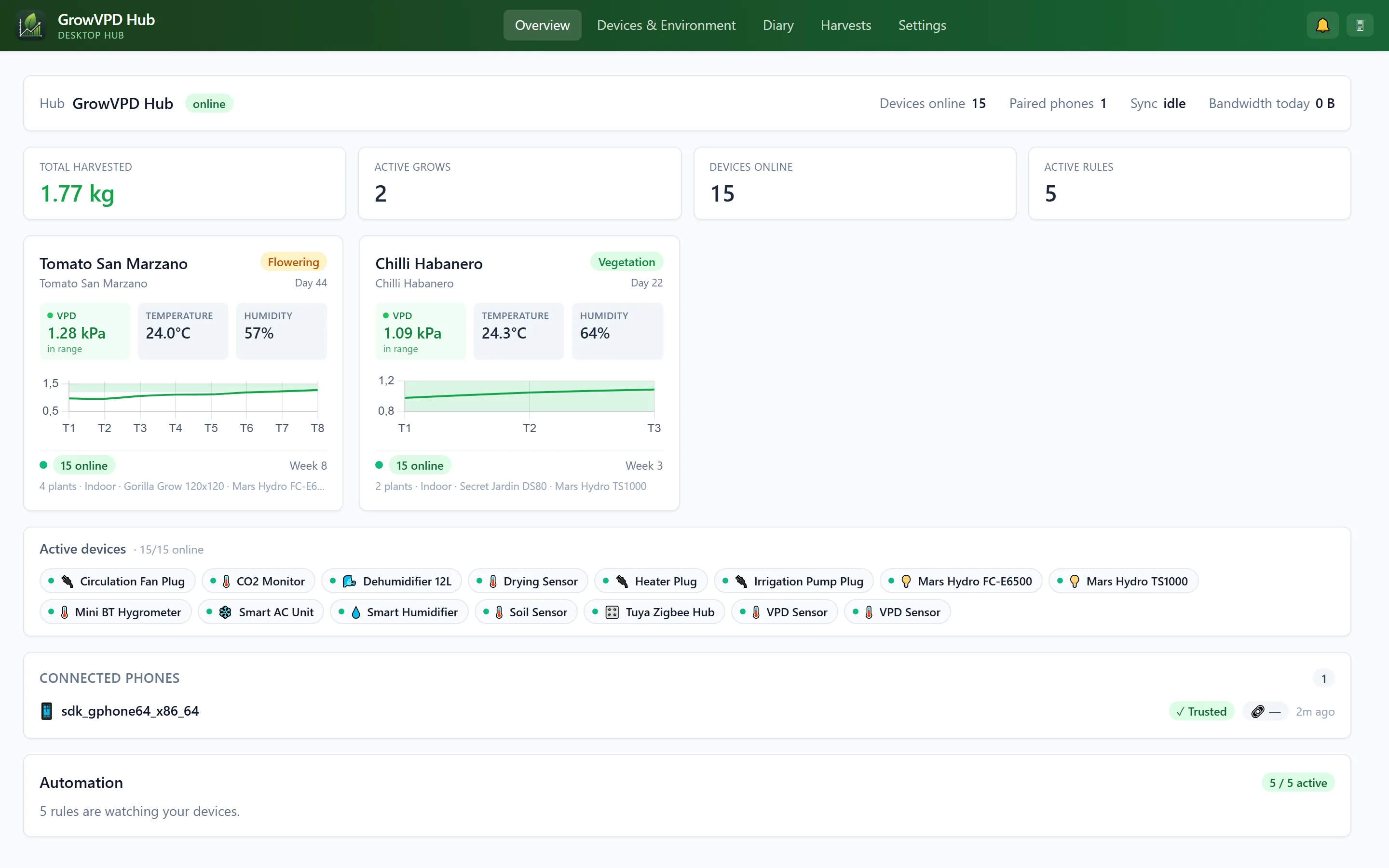
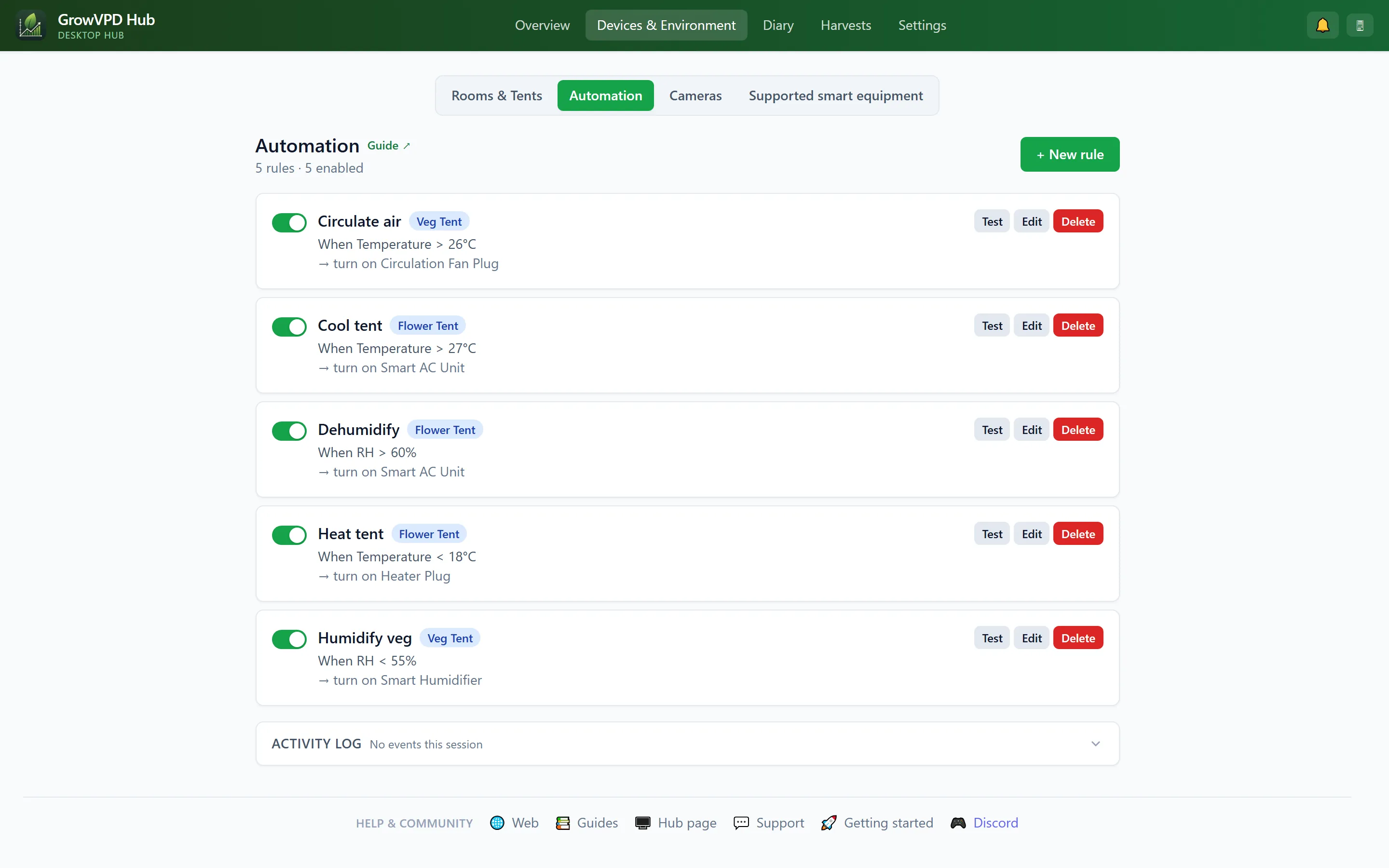
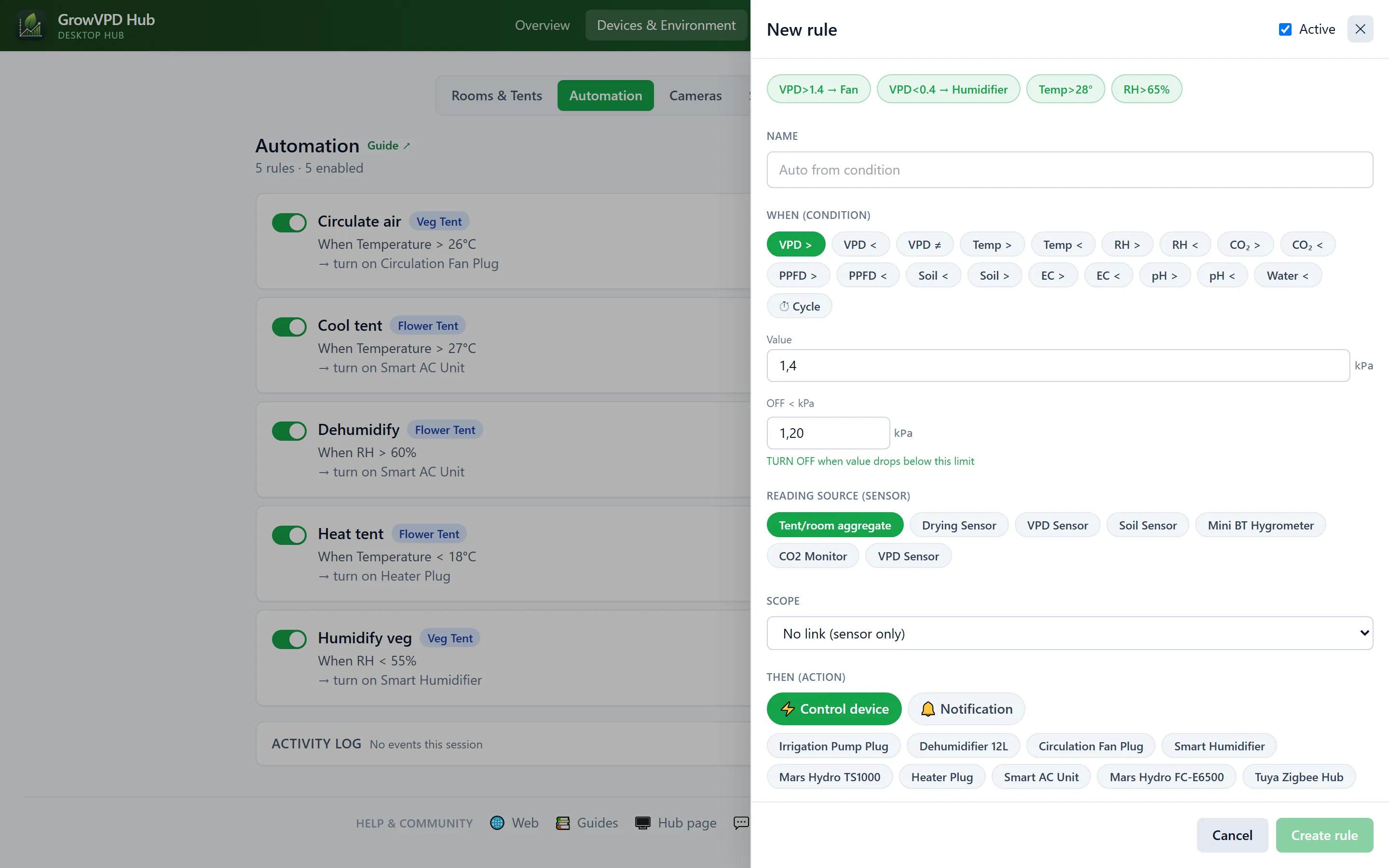
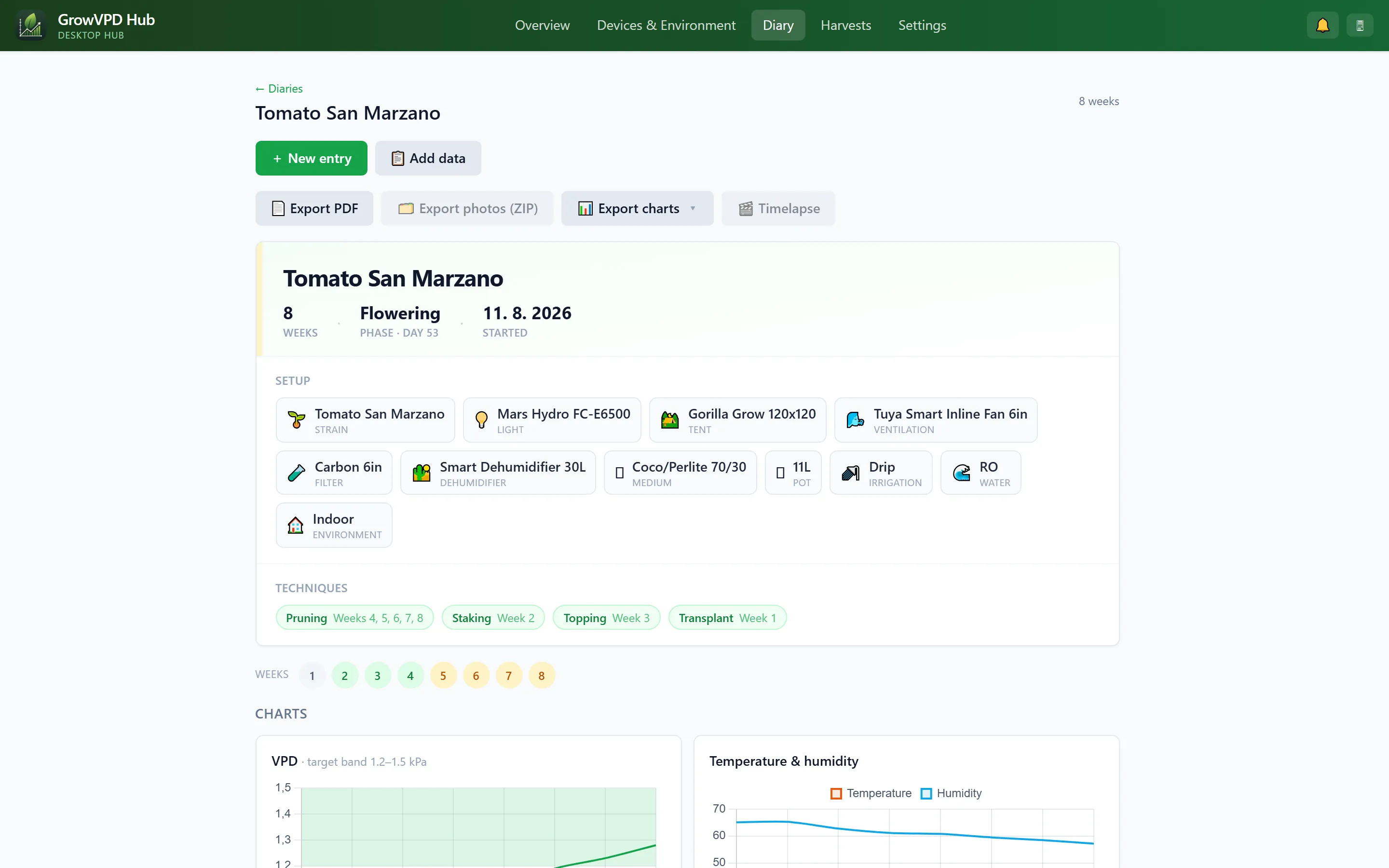
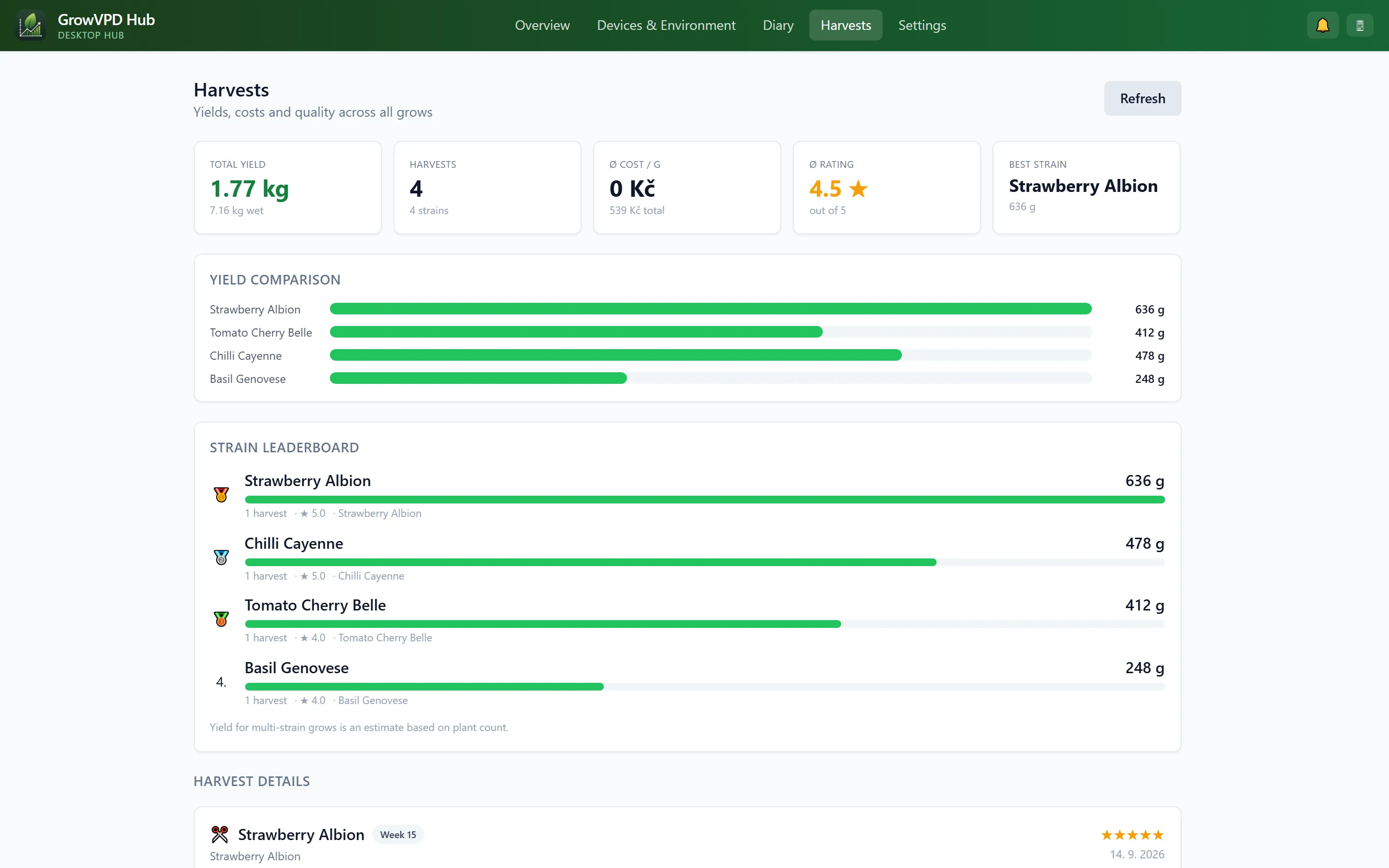
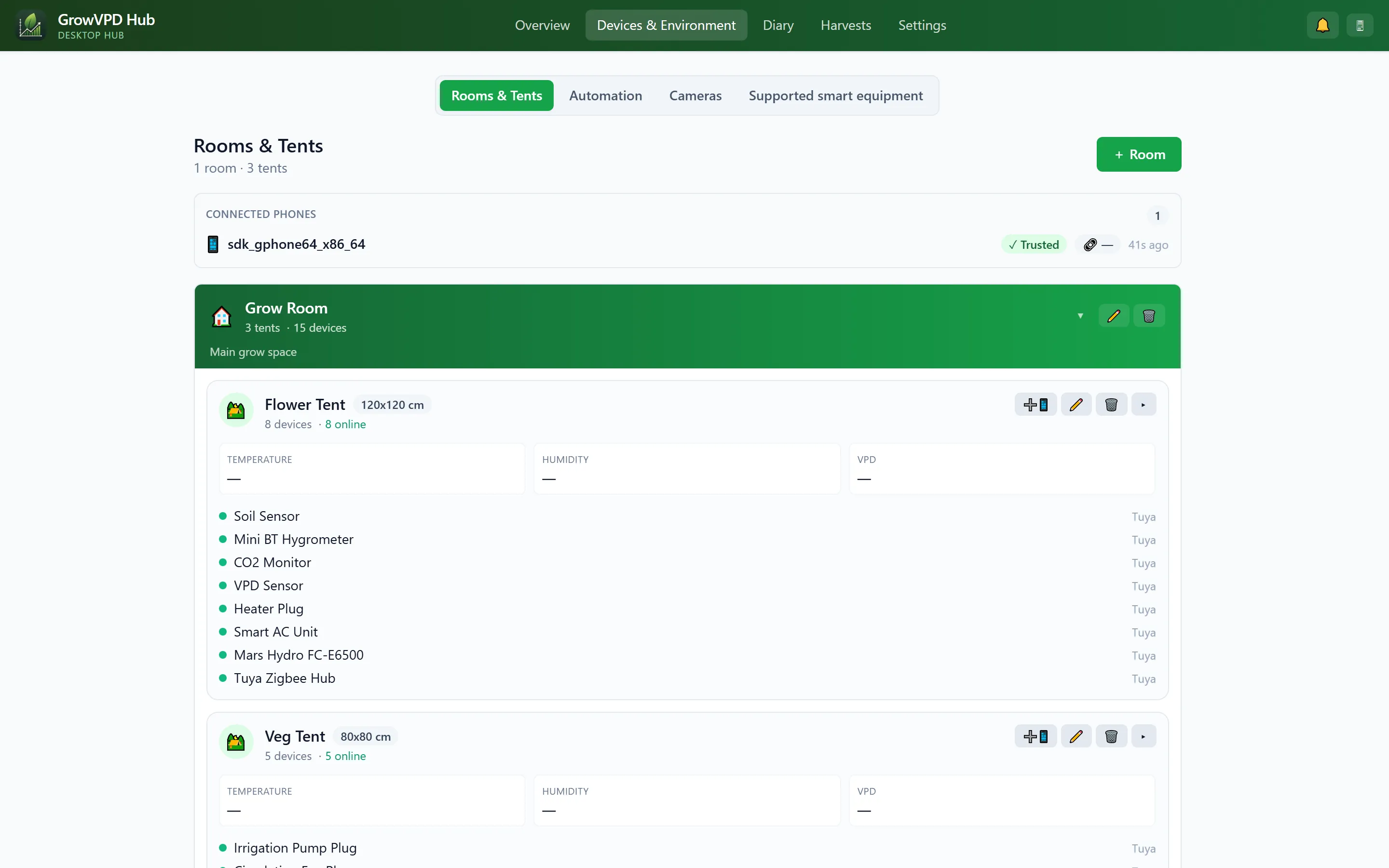
An always-on desktop companion for GrowVPD Pro. It keeps your grow synced and your devices reachable 24/7 — even when your phone is asleep or out of the house.
Mission control for your grow, on the big screen. Click any screenshot to enlarge it.
The Hub is growing from a dashboard into a 24/7 grow controller. These features are finished and land in the next beta build — Pro members get them automatically.
Substrate-moisture curves per pot, automatic irrigation detection, overnight dryback, field-capacity calibration and a veg↔generative steering gauge — crop-steering insight that usually costs a hardware subscription.
Every lights-on: overnight min/max, night VPD, DIF, condensation-risk minutes and per-pot dryback — one click files it into the diary.
Alerts to Discord, Telegram or any webhook — no SMS subscription. Watchdogs catch a whole tent going silent (tripped breaker) and light leaks during the dark period.
If every phone goes quiet — dead battery, holiday — the PC runs your automation rules itself (Tuya devices) and hands control back the moment a phone returns.
With direct control enabled, the Hub reads your Tuya sensors over LAN every 2 minutes — fine-grained charts and steering data even while phones sleep.
Camera snapshots auto-compile into a per-grow daily clip — dark lights-off frames dropped — filed straight into the diary and synced to your phone.
Export every sensor and device status to your MQTT broker with Home Assistant auto-discovery. Export-only by design — MQTT can read, never command.
One-click full backup (database + photos) and scheduled nightly backups, a wall-mount kiosk view, a printable weekly report — and you can finally write the diary from a real keyboard.
Already on the beta? You’ll get the update from Settings → Hub & sync → GrowVPD Hub for desktop in the app once it ships.
A Pro feature of GrowVPD, right on the desktop Hub: open any diary photo in a full editor and fix the purple LED cast, mark up problem spots and brand it — then save it straight back to your diary.
Removes the purple/magenta cast that LED grow lights leave on photos so leaves look their true green, plus auto white balance.
Exposure, brightness, contrast, saturation, temperature, sharpen and vignette.
Aspect presets or freeform with rule-of-thirds guides, straighten, rotate 90° and flip.
Arrows, rectangles, ellipses and text in any color — mark up problem spots or progress.
Variety · week · date plus the GrowVPD leaf logo; pick a corner and opacity.
Step back and forth, and hold to compare the original with your edit.
Export full-resolution JPG or PNG, or save the edited photo straight back to the diary entry.
Available with Pro. Open the editor from any photo in the dashboard diary — click the screenshot above to see it full-size.
Phone and PC keep each other up to date in both directions. On the same Wi-Fi they sync directly over your local network — no cloud, no internet. Away from home, an end-to-end-encrypted relay keeps them in sync over the internet.
When your phone and PC are on the same Wi-Fi, they sync directly over the local network in both directions — no cloud and no internet required. It's fast and stays entirely on your network.
On different networks — phone on mobile data, PC elsewhere — an end-to-end-encrypted cloud relay keeps them in sync over the internet, both directions. The relay only ever sees encrypted blobs; it can't read your data.
GrowVPD Hub is a small background daemon plus a browser dashboard at http://127.0.0.1:8765. It pairs with your phone over a QR code and runs quietly on your PC as a companion — not a replacement — for the mobile app.
Your diary, automation rules, rooms, tents and sensor history stay in sync continuously. The phone can be off or away — the desktop keeps the grow up to date.
On the same Wi-Fi the Hub talks to devices locally for low-latency control, and falls back to the encrypted cloud relay when it isn't.
A complete control panel on the big screen: devices, automation, grow diary, VPD charts, rooms and tents, plus camera views — all in your browser.
Already use an old Android phone as a 24/7 hub? The desktop Hub does the same job on hardware you leave running anyway — no spare phone required.
By default the daemon holds no smart-home credentials — commands relay to your phone, which executes them. Optional direct control (opt-in) stores them encrypted on your PC so the Hub can read and drive devices itself. The dashboard listens on loopback only.
The dashboard speaks the same 11 languages as the app and mirrors the green GrowVPD look you already know.
The Hub is included with Pro and isn’t a public download — each Pro member gets a personal, time-limited download link.
GrowVPD Hub is a Pro feature, not a public download. Pro members get a personal download link right inside the app under Settings → Hub & sync → GrowVPD Hub for desktop (Windows, macOS and Linux are detected automatically) — or ask in our Discord. The build bundles its own Java. It is not code-signed yet, so Windows SmartScreen or an antivirus may warn on the first run — see the FAQ below.
No separate purchase — GrowVPD Hub is included with Pro. There is no account on the desktop: you pair it with your phone, which already has your Pro subscription.
Each build bundles its own Java runtime, so there's nothing else to install.
Open your personal link from the app — it picks the right build for your computer. On Windows, unzip it anywhere and run GrowVPDHub.cmd; on macOS, open the .pkg (the first time, right-click it and choose Open); on Linux, install the .deb. The dashboard opens at http://127.0.0.1:8765.
In the app open Settings » Hub & sync and scan the QR code shown in the dashboard. Keys are exchanged directly between your devices — no password.
Keep the daemon running in the tray. It syncs in the background and stays reachable so your grow keeps updating even when the phone is off.
No. GrowVPD Pro is fully usable on the phone alone. The Hub is optional — it adds always-on sync and a full desktop dashboard for people who want their grow reachable even when the phone is off.
The Hub is a Pro feature, included with your existing GrowVPD Pro subscription at no extra cost. There's no separate purchase and no app store — you pair it with the phone that already has Pro.
By default the daemon stores no smart-home credentials — device commands relay to your phone, which executes them with its own credentials. If you opt in to direct control, the Hub stores those credentials encrypted on your PC so it can read and control devices even with no phone home; one click wipes them again. The dashboard is served on loopback (http://127.0.0.1:8765) only, and sync between devices is encrypted. See the Privacy Policy for details.
Not when your phone and PC are on the same Wi-Fi — they sync directly over your local network in both directions, with no cloud and no internet involved. When they're apart (for example your phone on mobile data and the PC elsewhere), an end-to-end-encrypted cloud relay keeps them in sync over the internet. The relay only ever sees encrypted blobs, so it can't read your data either way.
Windows 10/11 (64-bit), macOS (.pkg) and Linux (.deb) — all three ship from the same engine, and your personal download link auto-detects the right one.
Hub Mode turns a spare Android phone into the 24/7 relay. The desktop Hub does the same job on your PC — useful if you'd rather not dedicate a phone — and adds a large browser dashboard. Both keep your grow synced and reachable; pick whichever hardware you leave running. See the Hub Mode guide.
Not yet — this beta build is unsigned, so Windows SmartScreen or some antivirus engines may warn on first run. Click More info → Run anyway and, if needed, add an exception for the GrowVPD Hub folder. A code-signed build via Microsoft Trusted Signing is on the way and will remove these warnings. Join the Discord for release announcements.